
This website maintenance checklist covers the essential weekly, monthly, quarterly and yearly tasks every site owner needs to complete in order to keep their website secure, fast and fully functional.
A website is never really “finished”. Once it goes live, it needs ongoing care to keep running smoothly, safely and efficiently. Too many business owners treat their website as a one-time project, only to find months later that plugins are outdated, forms have stopped working, or the site has become painfully slow. This checklist has been put together to help you improve the overall performance of your website by breaking maintenance down into manageable weekly, monthly, quarterly and yearly tasks. Whether you manage your site yourself or work with a developer, this guide will help you stay on top of the essentials.
Weekly Website Maintenance Tasks
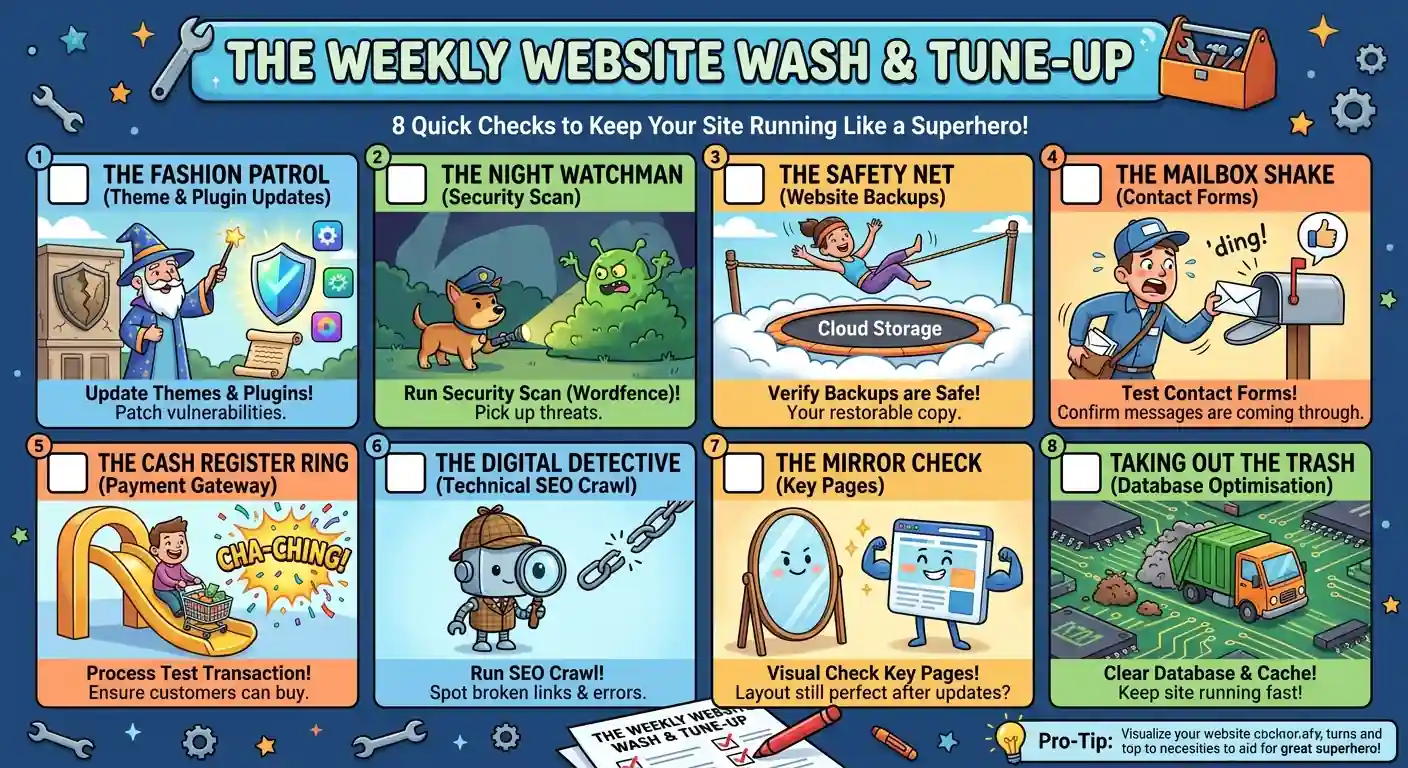
Weekly tasks are the backbone of good website maintenance. These are the small, quick checks that catch problems early, before they turn into bigger and more costly issues. Because they happen so often, they should become part of your normal routine rather than something you only remember to do when something breaks.
1. Theme & Plugin Updates
Outdated themes and plugins are one of the most common causes of website vulnerabilities. Developers regularly release updates to fix bugs and patch security holes, so checking for these weekly helps keep your site protected and running on the latest, most stable code.
2. Security Scan
Running a security scan each week helps pick up on malware, suspicious files or unusual activity before it causes real damage. The free version of Wordfence does this perfectly well for most websites and is a great starting point if you do not already have a scanner in place.
3. Website Backups
Backups are your safety net. If something goes wrong, whether that’s a bad update, a hack, or human error, a recent backup means you can restore your site quickly. Check weekly that your backups are still being generated and that they are stored somewhere safe, ideally away from your main hosting account.
4. Contact Forms
It is surprisingly common for contact forms to quietly stop working after an update, and most site owners only find out when a customer complains that their enquiry never arrived. Test your forms weekly to make sure submissions are still coming through correctly.
5. Payment Gateway
If you run an online shop, this one is non-negotiable. Test your payment gateway regularly to confirm that transactions are processing properly and that customers can move through the checkout process without any hiccups. A broken checkout can cost you sales without you even realising it.
6. Full Website Technical SEO Crawl
A technical SEO crawl helps you spot problems that might otherwise go unnoticed, such as broken links, slow-loading pages and crawl errors. Catching these early means search engines can continue to index your site properly and users won’t run into dead ends.
7. Pages
After any update, whether it’s a plugin, theme or core software update, it is worth double checking your key pages to make sure everything still displays and functions as expected. A quick visual check can save you from an embarrassing surprise later.
8. Database Optimisation
Over time, your database can fill up with old post revisions, logs, deleted pages sitting in trash and other clutter. Clearing this out, along with your cache, helps keep your website running quickly and efficiently.
Monthly Website Maintenance Tasks
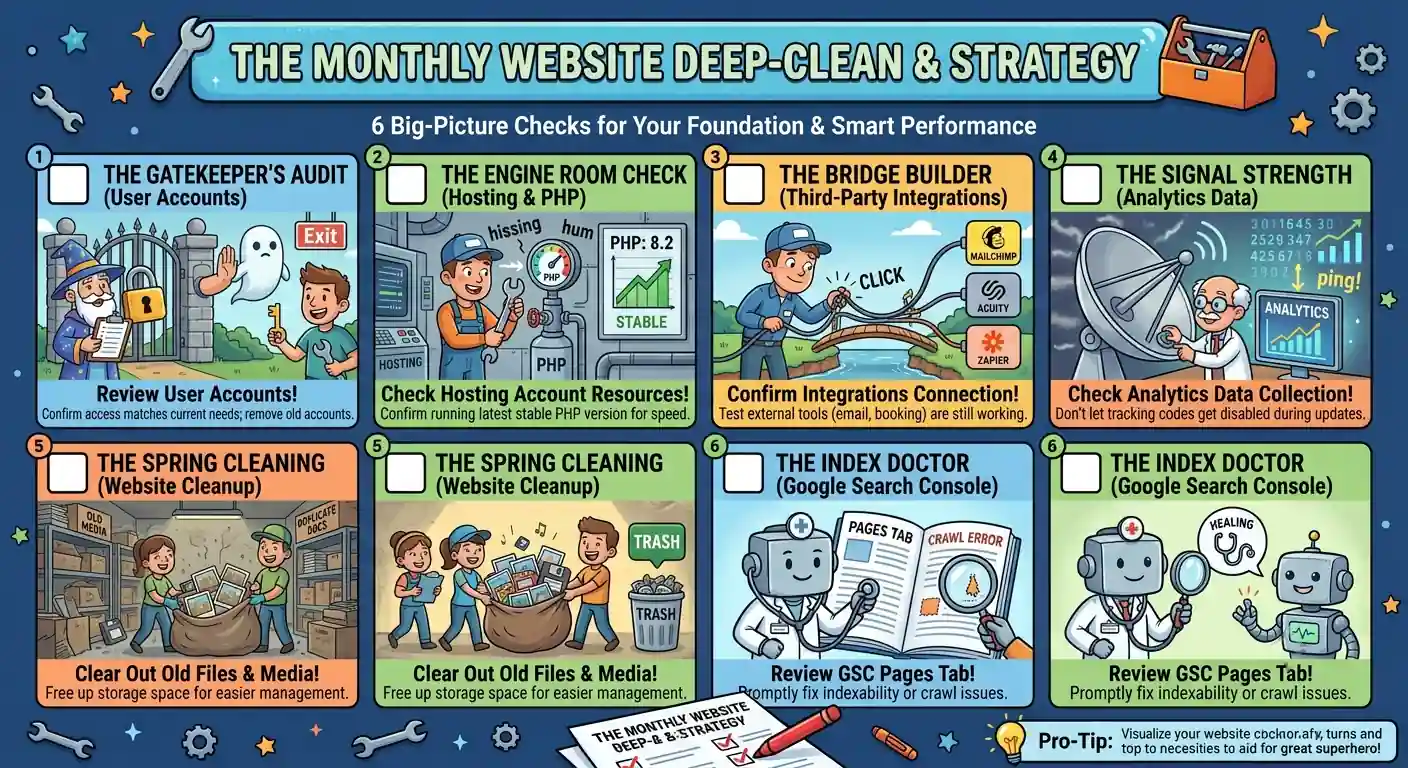
Monthly tasks tend to be a little more involved and focus on the bigger picture of how your website is being managed and used behind the scenes.
1. Review User Accounts
Go through your list of user accounts and confirm that only the people who genuinely need access still have it, and that their permissions match what they actually need. Old accounts belonging to former staff or contractors should be removed to reduce security risks.
2. Review Hosting Account
Check that your hosting account still has enough resources and storage for your needs, and confirm that you’re running the latest stable version of PHP. Staying current here helps with both speed and security.
3. Review Integrations
Many websites rely on third party tools, from email marketing platforms to booking systems. Take time each month to confirm these integrations are still connecting and working as they should.
4. Analytics
It’s worth checking that your website is still collecting analytics data correctly. Tracking codes can sometimes be disabled by accident during an update, and without noticing, you could lose weeks of valuable data.
5. Website Cleanup
Old photos, documents and files that are no longer needed can build up over time. Clearing these out frees up storage space and makes your website far easier to manage going forward.
6. Check Your Google Search Console Pages Tab
Take a look at the pages tab in Google Search Console to check for indexability or crawl issues. Fixing these promptly helps make sure your pages remain visible in search results.
Quarterly Website Maintenance Tasks
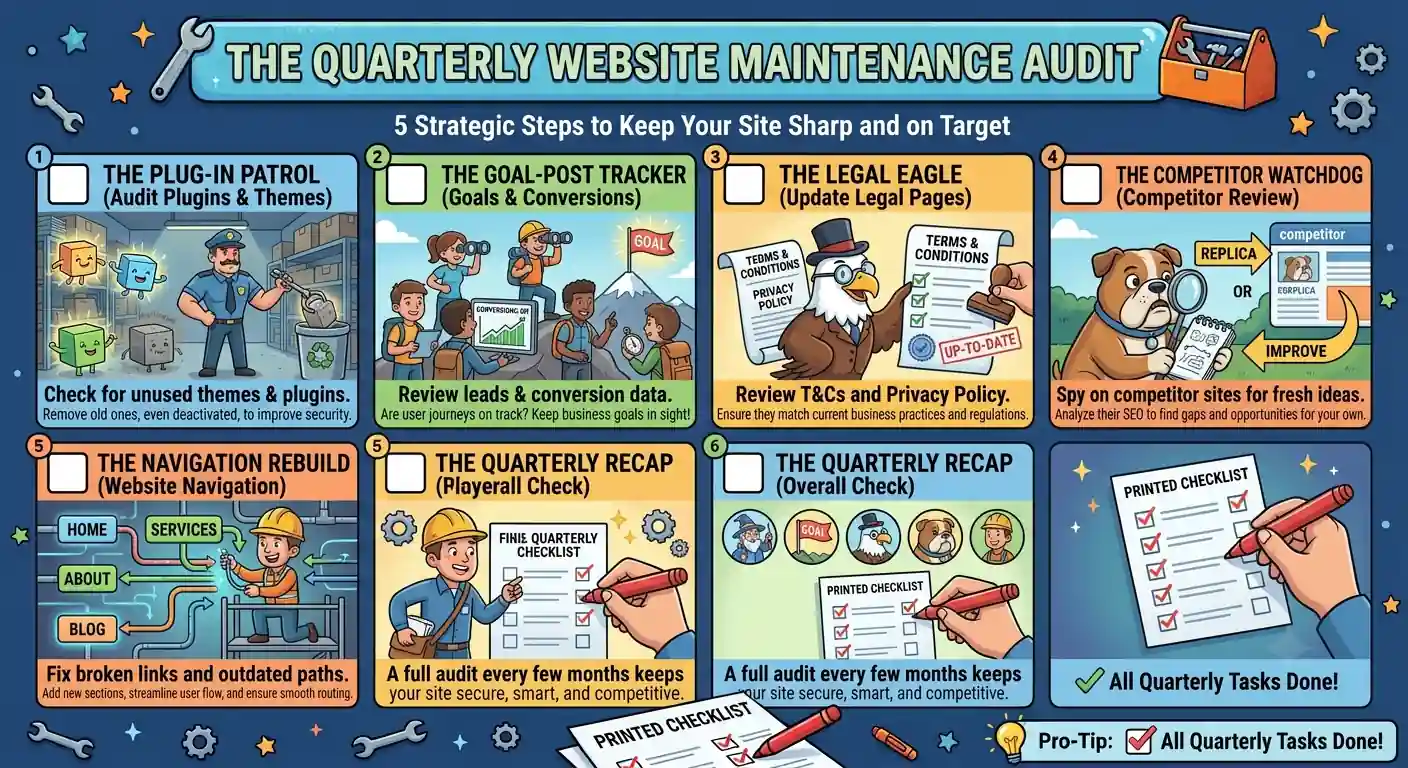
Every few months, it’s worth stepping back and looking at your website from a slightly wider angle.
1. Audit Plugins & Themes
Check that all your installed plugins and themes are still actually in use. Anything that is no longer needed anymore should be removed, as unused plugins can still pose a security risk even when deactivated.
2. Website Goals & Conversions
Look at your leads and conversions to see whether you are still on track with your business goals. Reviewing user journeys through your site also helps confirm that your website still reflects what you sell and offer.
3. Legal Pages
Review your legal pages, including your terms and conditions and privacy policy, to make sure they are still accurate and up to date with current regulations.
4. Competitor Review
Take a look at what your competitors are doing with their websites, particularly around SEO. This can highlight opportunities to improve your own pages and stay competitive.
5. Review Website Navigation
Check that all the links in your navigation menu still work and lead to the correct pages. Add new sections where needed and remove anything that is outdated.
Yearly Website Maintenance Tasks
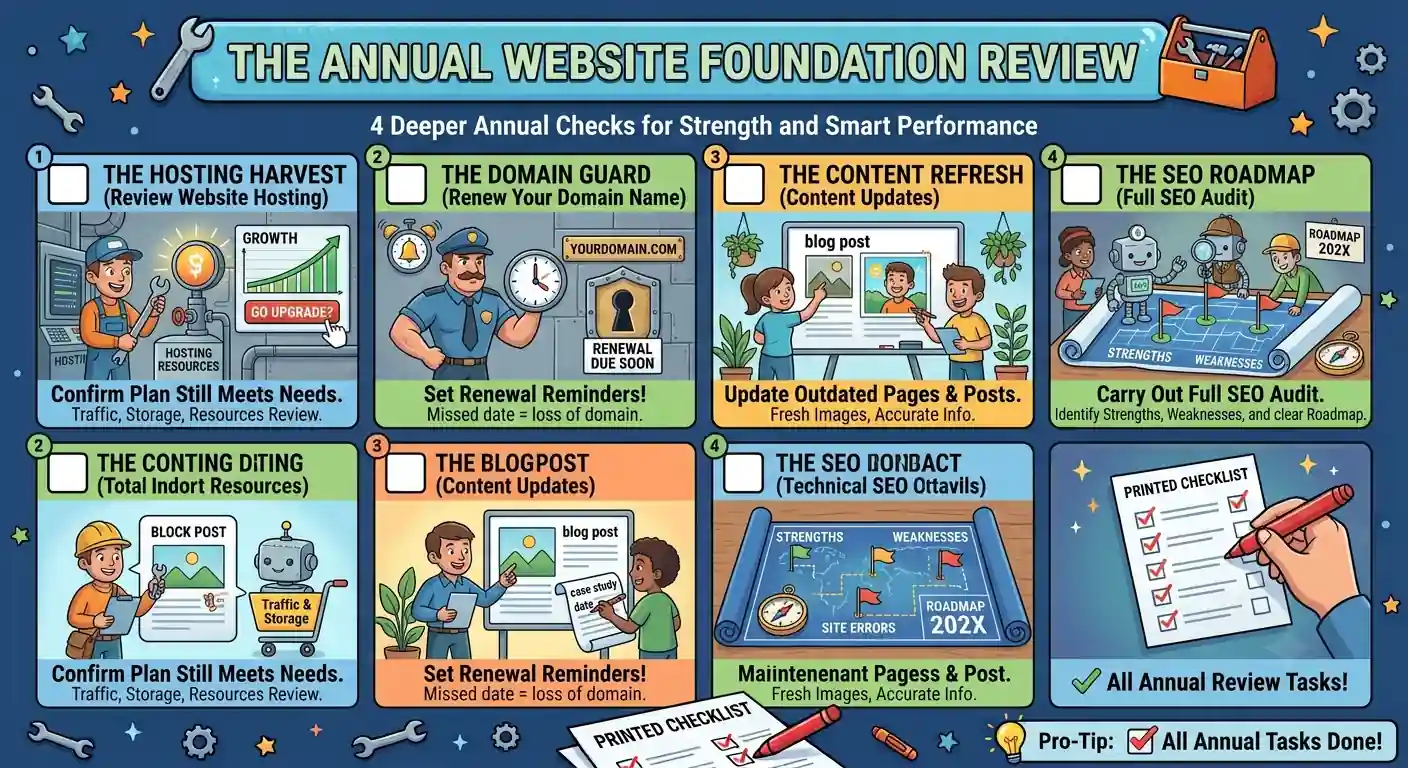
Once a year, it’s worth carrying out a deeper review of your website’s foundations.
1. Review Website Hosting
Confirm that your hosting plan still meets your needs in terms of traffic, storage and overall resources, especially if your website has grown over the past year.
2. Renew Your Domain Name
Domain names need to be renewed annually. Missing a renewal date can mean losing your domain altogether, so it’s worth setting a reminder well in advance.
3. Content Updates
Go through the content on your website, including pages, blog posts and case studies, and update anything that’s outdated. Fresh images and updated information help keep your site relevant to both visitors and search engines.
4. Full SEO Audit
Carry out a full SEO audit to identify your strengths and weaknesses, along with any site errors. This gives you a clear roadmap for improvements over the year ahead.
Why Should These Maintenance Tasks Be Done?
Regular website maintenance is not just about ticking boxes. It directly affects how secure, fast and reliable your website is for the people using it. Neglecting these tasks can lead to slow load times, broken functionality, security vulnerabilities and even lost revenue if customers cannot complete a purchase or get in touch with you. Search engines also take note of technical issues, so a poorly maintained site can lose visibility in search results over time.
Beyond the technical side, maintenance protects your reputation. A website full of broken links or outdated information does not inspire confidence in visitors, and first impressions matter enormously online. If you want to read more on why this matters so much, you can find further detail here: https://webluno.co.za/why-wordpress-website-maintenance-is-important/.
Conclusion To Website Maintenance Checklist
This checklist covers only a few of the most important tasks involved in keeping a website running well. There’s a lot more that goes into proper website maintenance, and the exact tasks required will vary depending on your platform, industry and how your site is built. Still, working through weekly, monthly, quarterly and yearly checks like these will go a long way towards keeping your website secure, fast and functioning as it should.
How Can Webluno Assist?
Keeping up with all of these tasks can be time-consuming, especially if you’re already busy running your business. This is exactly why Webluno offers website maintenance packages, designed to take this ongoing responsibility off your hands. From regular backups and security scans to updates, technical checks and content reviews, Webluno can handle the details so your website stays in good health without you having to think about it. Getting in touch is a simple way to make sure your site is properly looked after, all year round.
Frequently Asked Questions
How much does website maintenance cost?
Costs vary widely depending on the size of your site, the platform it’s built on, and how much support you need. A basic package covering backups, updates and security scans might cost relatively little per month, while a fuller service that includes content updates, SEO checks and priority support will cost more. Most providers offer tiered packages so you can choose based on your budget and needs.
How long does website maintenance take each month?
This depends on the size and complexity of your site. A small brochure website might only need an hour or two a month, while a larger ecommerce store with regular content updates, integrations and higher traffic could need several hours spread across the weekly, monthly and quarterly tasks. Outsourcing this to a maintenance provider is often the easiest way to make sure nothing gets missed without eating into your own time.
Can I do website maintenance myself, or do I need a professional?
It is entirely possible to handle basic maintenance yourself, especially the weekly tasks like updates and backups, if you are comfortable working in your website backend. However, some tasks, like resolving security breaches, fixing broken code after a bad update, or carrying out a full technical SEO audit, are better left to someone with development or SEO experience. Many site owners choose a hybrid approach, handling the simple checks themselves and outsourcing the more technical work.
What happens if I skip website maintenance?
Skipping maintenance rarely causes an immediate problem, which is exactly why it is easy to neglect. Over time though, outdated plugins become security risks, database bloat slows the site down, broken links start to appear, and search engine rankings can quietly decline. In the worst cases, an unmaintained site can be hacked or go offline entirely, often costing far more to fix than it would have to maintain properly from the start.
Does website maintenance actually improve my SEO rankings?
Maintenance itself is not a direct ranking factor, but the things it prevents, such as slow loading speeds, broken links, crawl errors and security issues, are all things search engines do take into account. A well-maintained site simply gives search engines fewer reasons to lose confidence in it, which supports your rankings indirectly rather than boosting them outright.


